
The "Active" status indicates that Toolie is within the 150-feet radius of Eagle 1 GPS Tracker and is currently in use or moving. To set up an active monitor, please follow the below instructions-
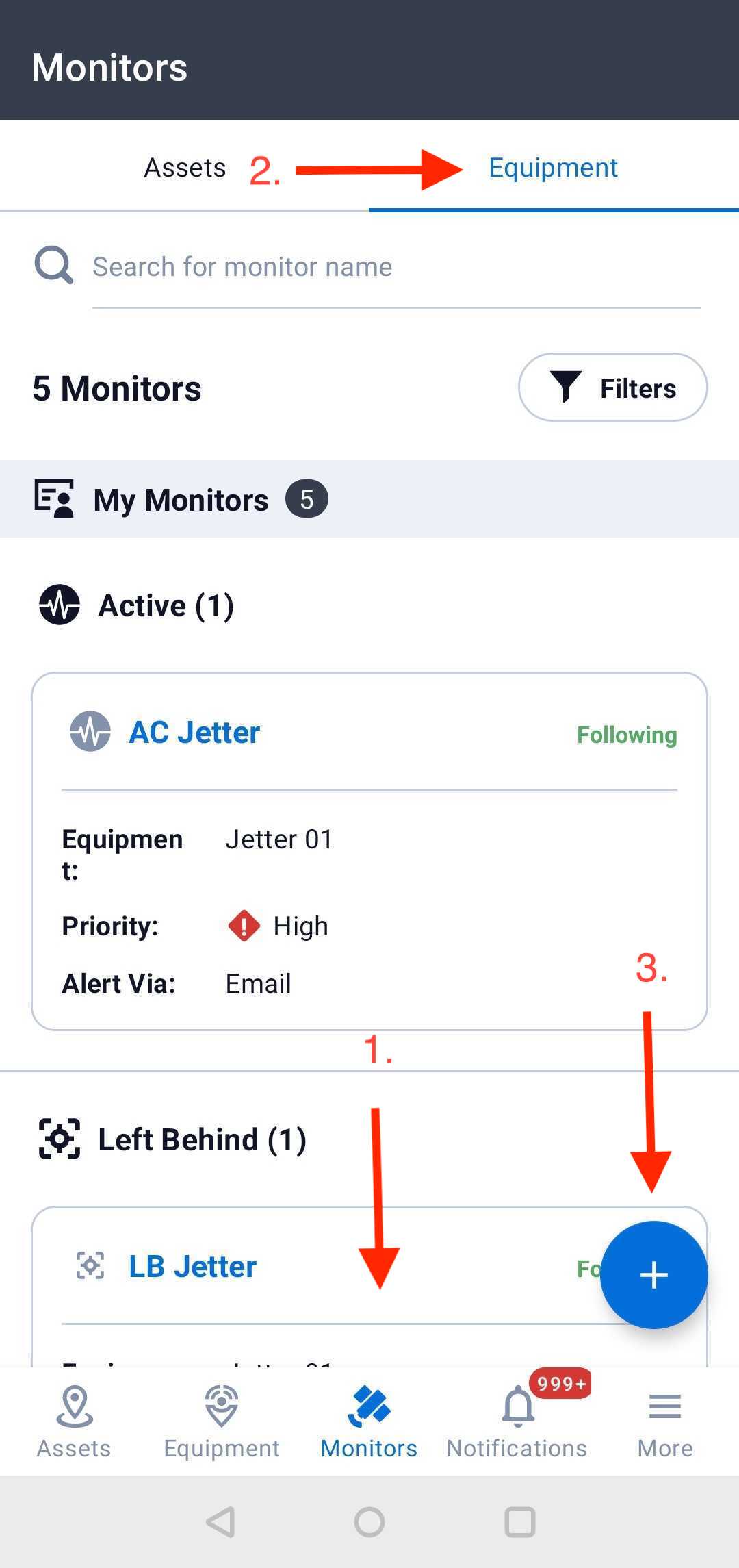
(1) Click on the “Monitors” on the top bar, select "Equipment" and then click on the blue plus sign to create the monitor.
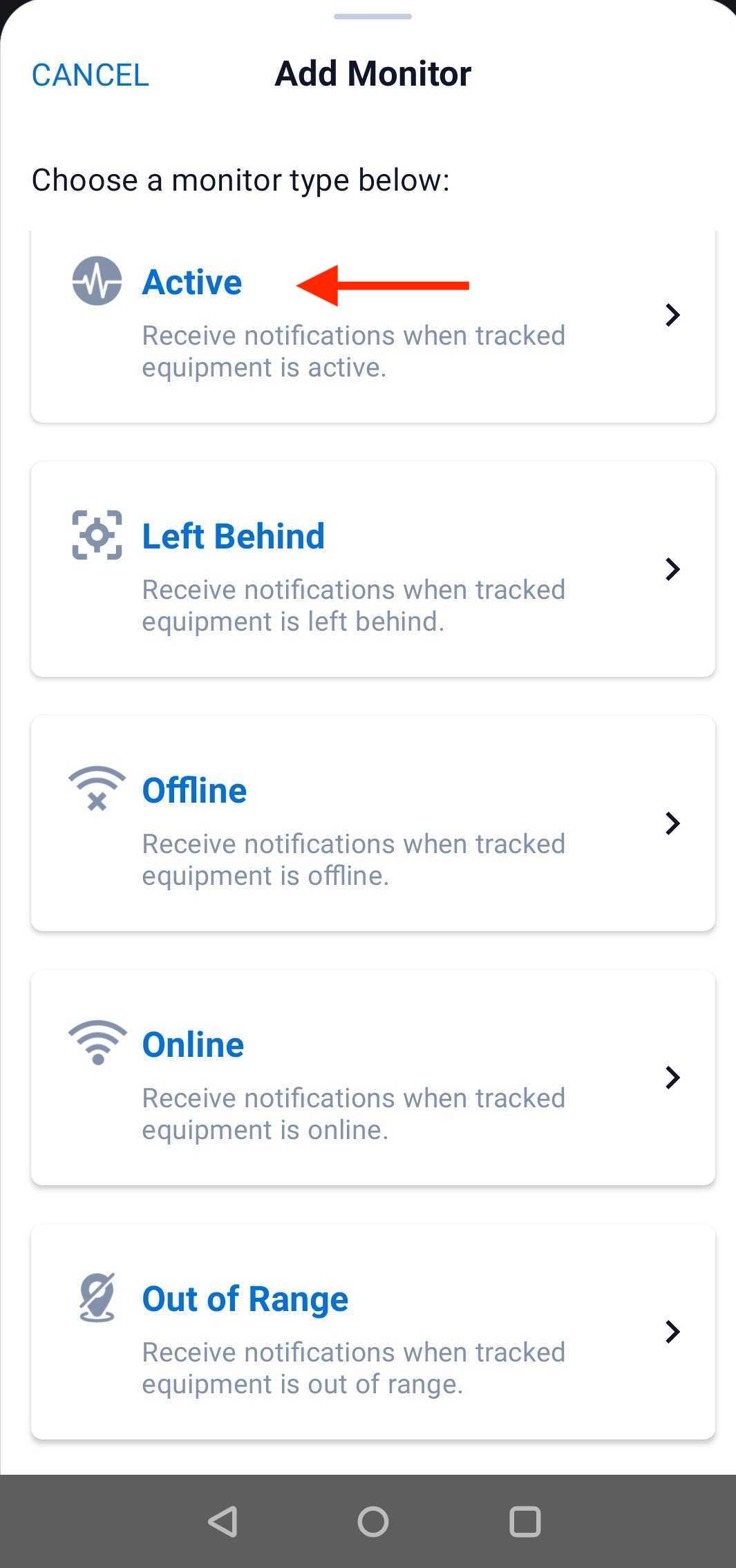
(2) Click on "Active".
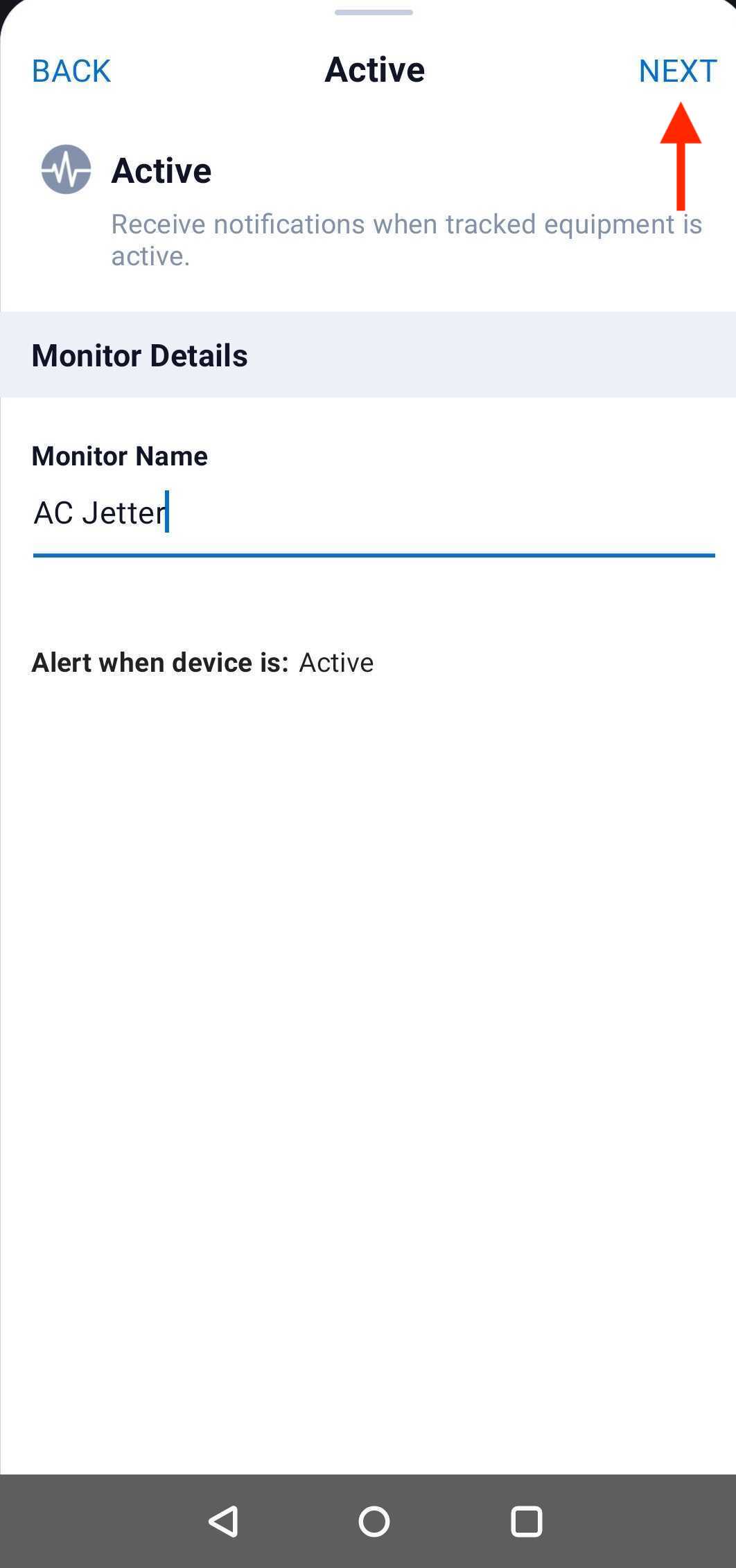
(3) Set up the monitor name. Then please click "Next".
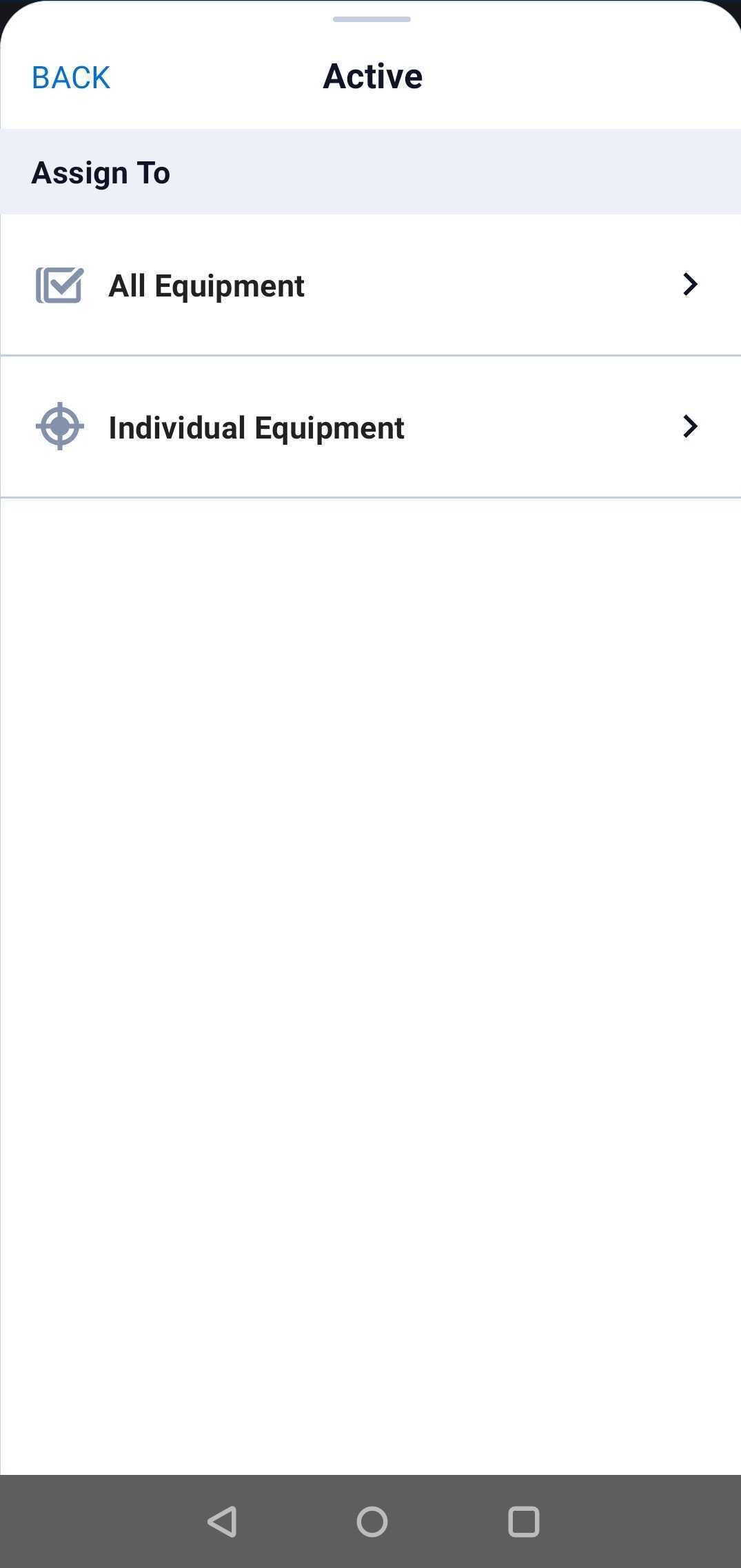
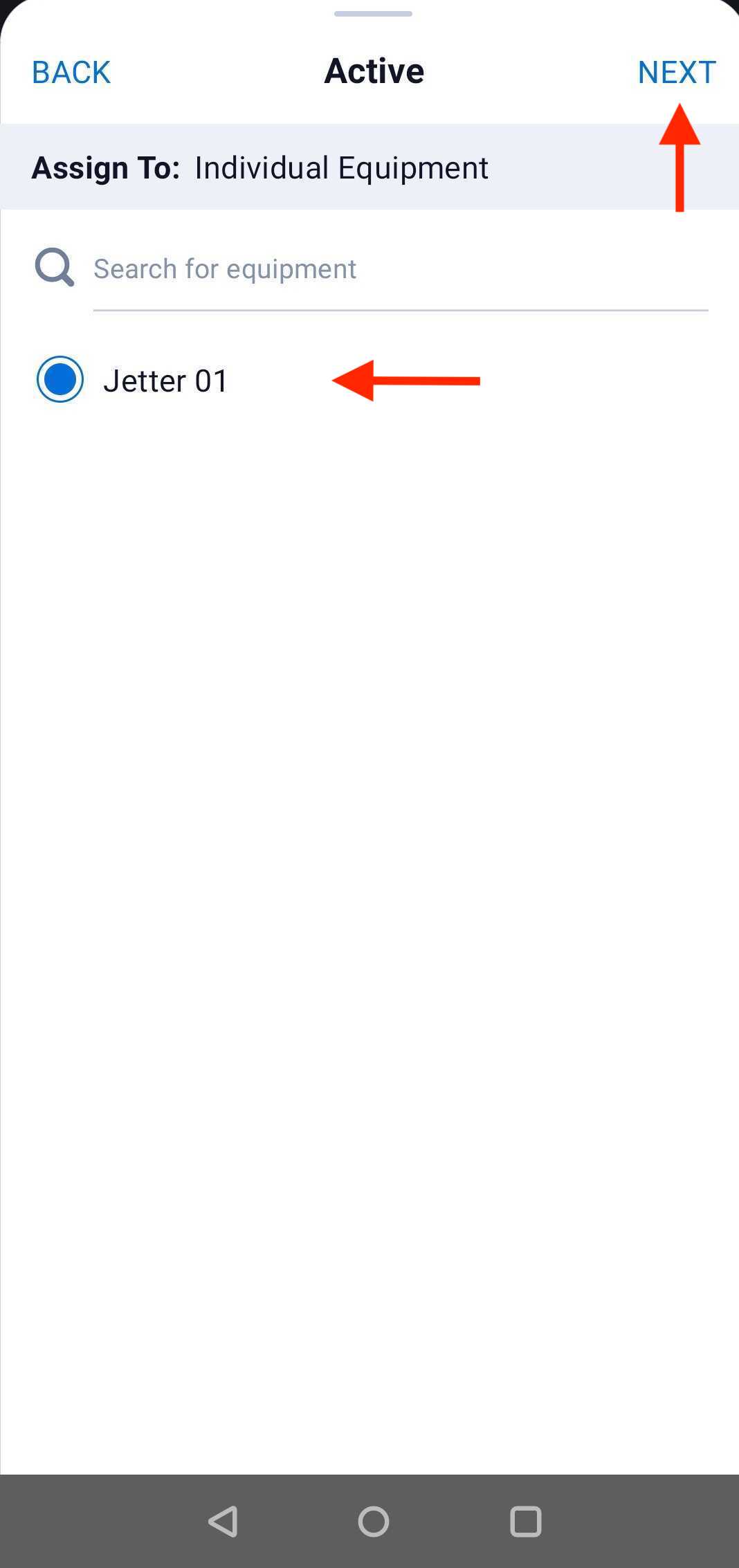
(4) "All Equipment" refers to all assets. You can also set up the monitors by Groups, Locations, and any specific Asset.
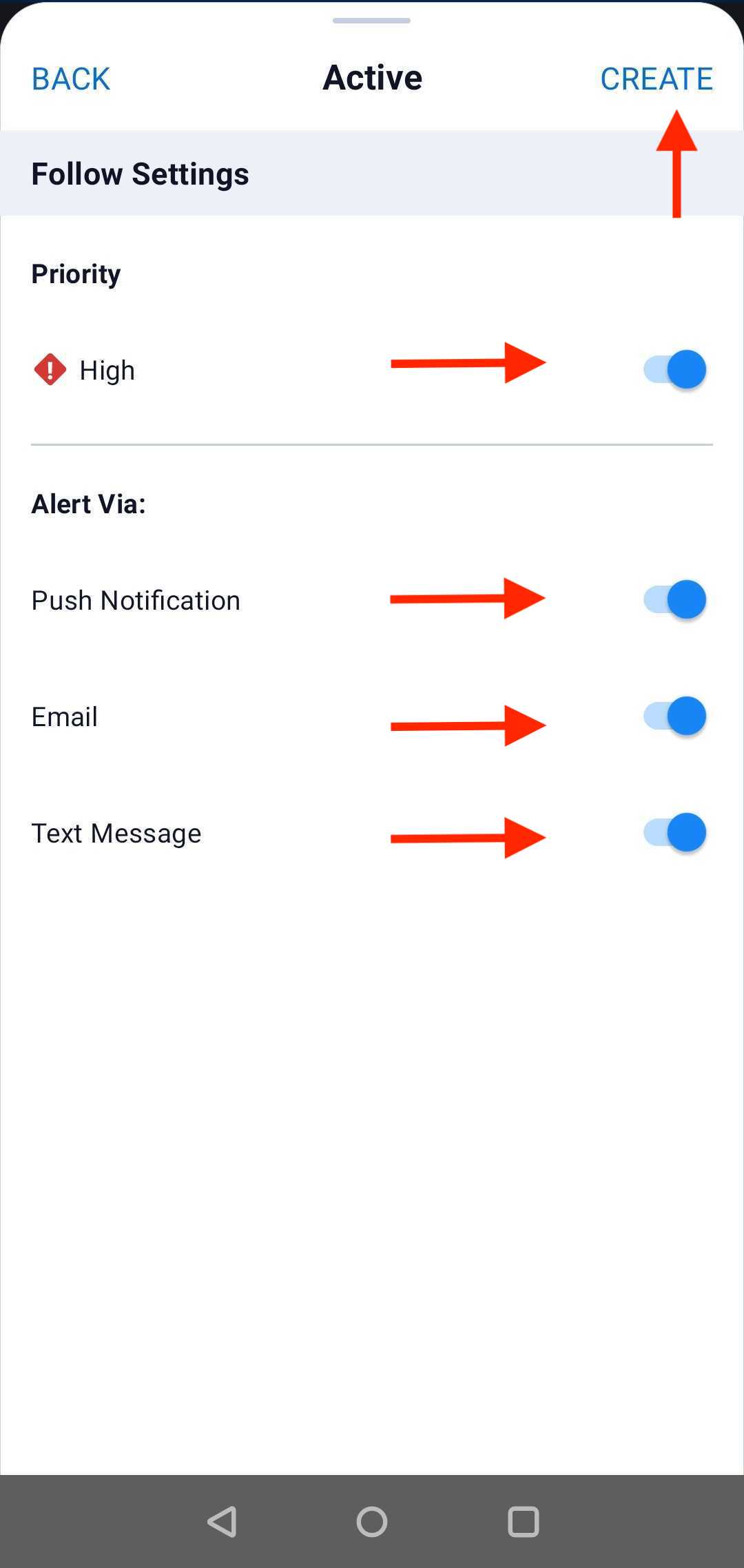
(5) Set the severity of the alerts (High/Moderate) and alert method (Push Notification, Email, Text, or All) by toggling. Then click on "Create".
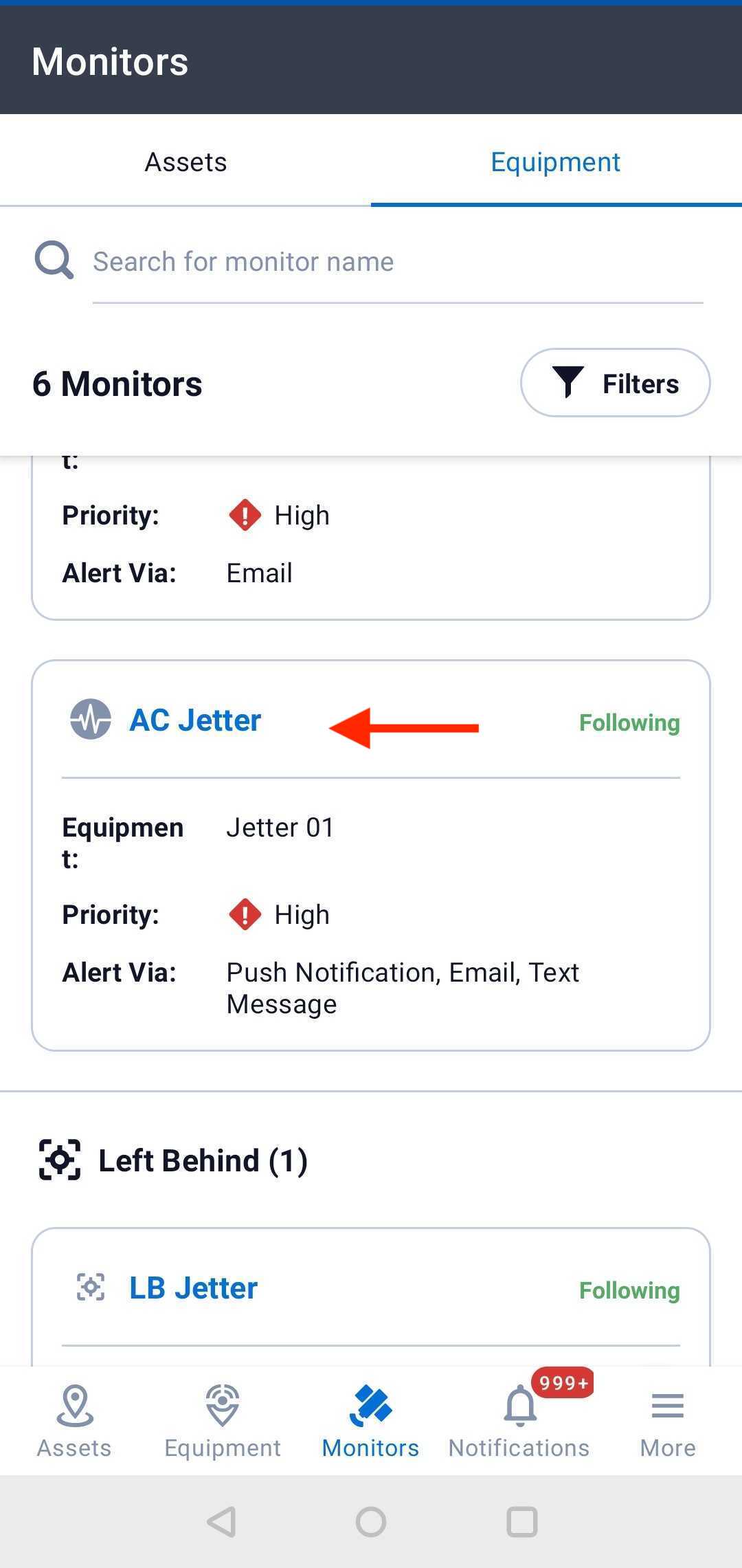
(6) Your active monitor is all set.
Comments
0 comments
Article is closed for comments.